What a campaign is
A campaign is the container for everything: your world, your party, your sessions and everything that happens in them. You can have several, and nothing is shared between them unless you copy it across deliberately.
This guide takes about twenty minutes end to end, and by the finish you will have a campaign with your world in it and a session ready to prepare.
Step 1 — Make the campaign
From Your campaigns, press Start a campaign. If this is your first, the whole page is that invitation.
- Give it a name. That is the only required field.
- Optionally add the system, the setting and the tone. These matter later — the assistant reads them so that what it drafts fits your world rather than a generic one.
- Press create.
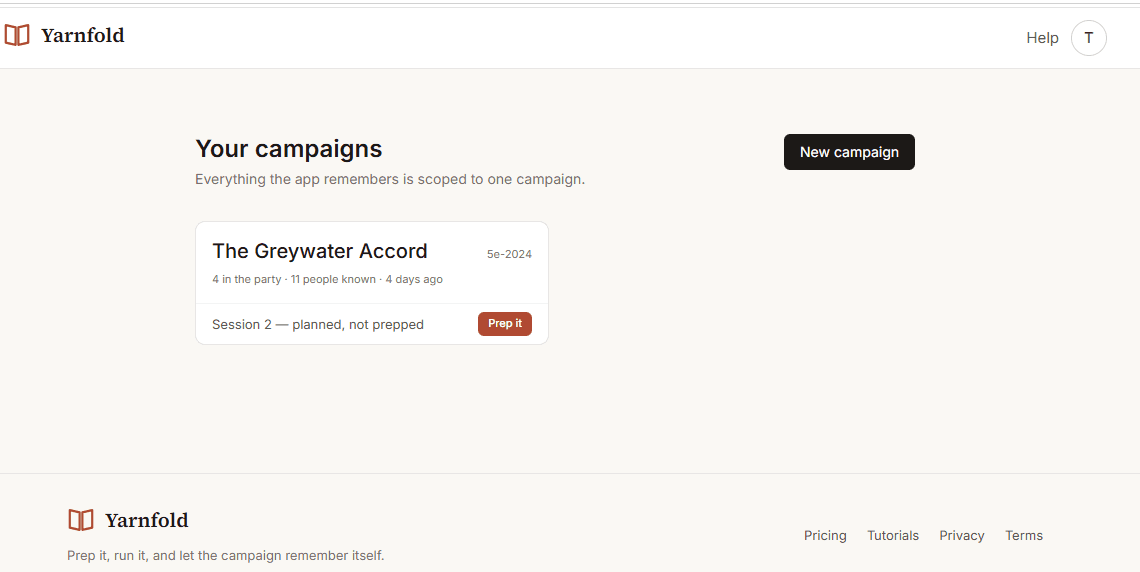
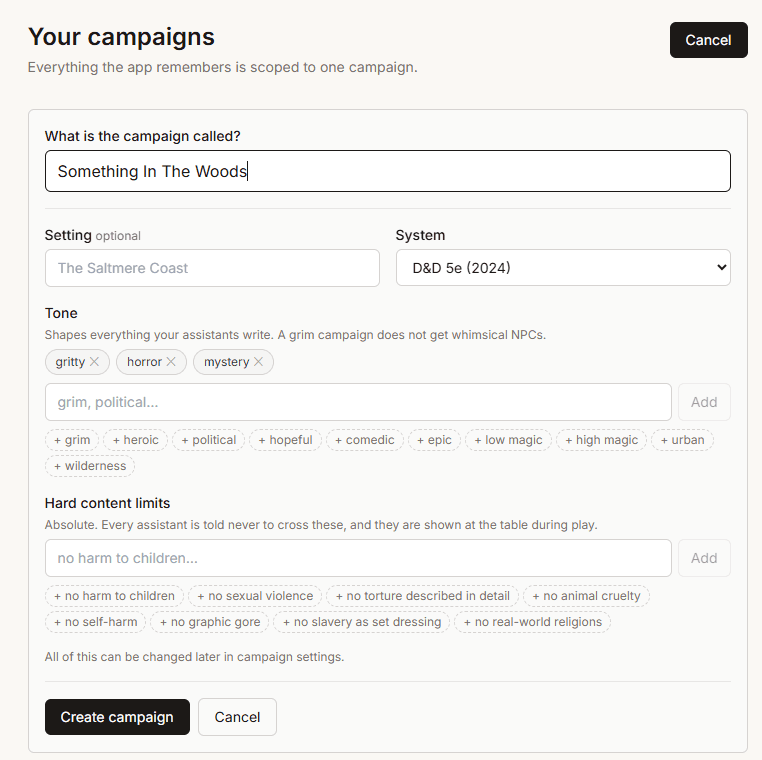
Step 2 — Choose how to fill it
This is the screen worth thinking about, because it decides whether your first twenty minutes are typing or reading.
- Read in notes you already have. Best if you are already running this campaign somewhere else — Notion, Obsidian, a Word file, a Google doc.
- Answer nine questions. Best if it is all in your head.
- Bring things from another campaign. Best if this is not your first campaign here.
Or skip all three and start from nothing.
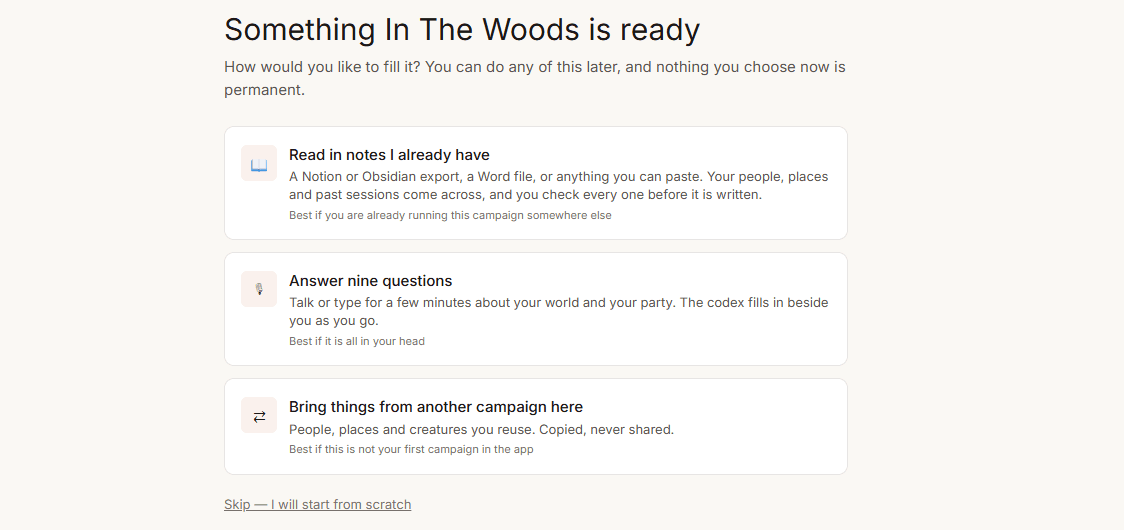
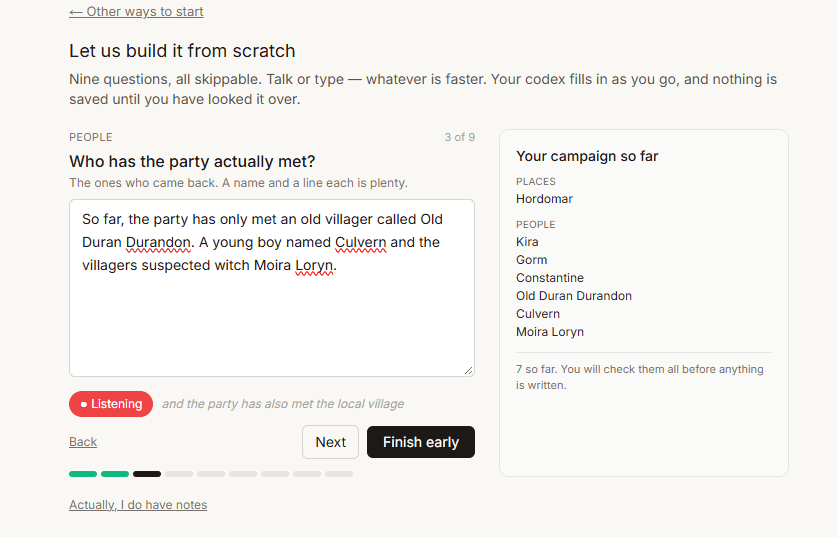
Step 3 — Answer the nine questions
Nine questions, all skippable, going from easy to interesting: where it happens, who the players are, who they have met — and then the ones worth thinking about.
- Answer in whatever detail you like. A sentence is fine; a paragraph is better.
- Skip anything you have not decided yet. Grey dots are fine.
- Jump back with the dots when an answer reminds you of something earlier.
- Press
Finish earlywhenever you have said enough.
The panel on the right fills in as you go. Nothing is written to your campaign until you have read the list and said yes.
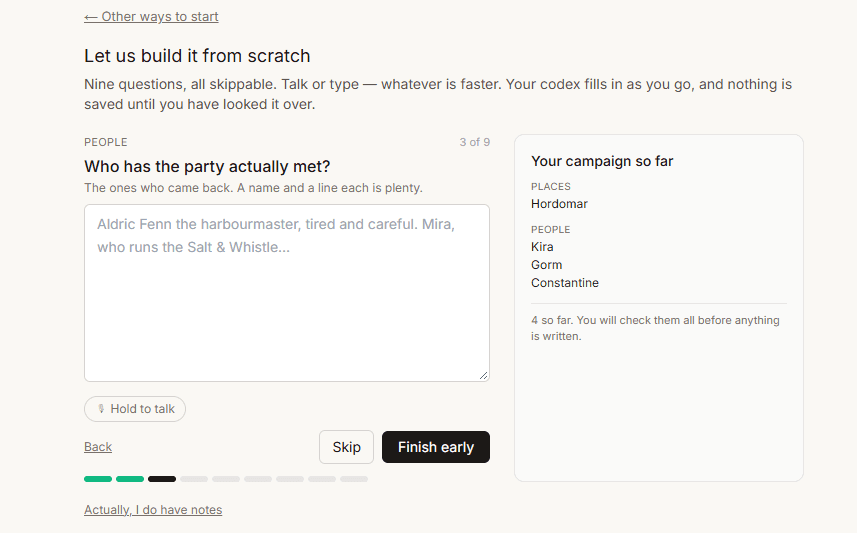
Talk instead of typing
Every answer takes dictation. Hold 🎙 Hold to talk and describe your world out loud — it is considerably faster than typing and tends to produce better answers, because people describe their campaigns better than they write them up.
Step 4 — Find your way around
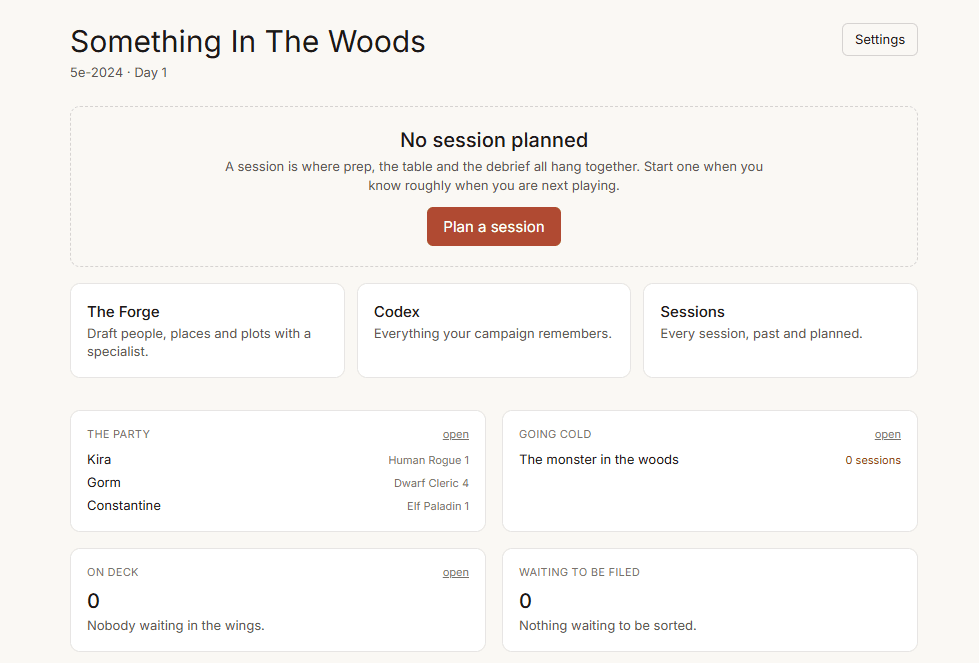
There are three rooms, and the header carries all of them:
- Forge — thirteen specialists who draft things for you.
- Codex — everything your campaign knows, and the world map.
- Sessions — every session, past and planned.
The dashboard always shows one next step, whatever state you are in: prep it, run it, debrief it, or plan the next one.
Step 5 — Reach your first debrief
The loop is short: prepare a session, run it, and debrief it.
Try to reach the debrief rather than stopping after prep. Prep is the bit you were doing anyway; the debrief is the bit that is new, and it is where Yarnfold starts earning its place.
Questions
Questions people ask
No. Drop in a Notion or Obsidian export, a Word file, or paste anything at all. Yarnfold reads the people, places, factions and past sessions out of it and shows you every one before a word is written. If it is all in your head instead, answer nine questions and it builds from that.